
The hardest part of co-parenting usually isn't the custody split itself — it's the hundred small handoffs around it. Who has the kids Thursday when there's a half-day? Did the soccer cleats travel to Dad's? Who's paying the deposit for camp, and by when? When those details live in two separate heads (and two separate group texts), someone always ends up double-booked, a pickup gets missed, or a bill goes unpaid. The fix is not more reminders to yourself — it's one shared schedule that both parents can see, plus a clear, low-drama way to move kid logistics between homes. This guide walks through how to build that system so the mental load stops falling on one person.
Pick one custody pattern and one source of truth
Before any tool, settle the shape of the schedule. Most co-parents use one of a few patterns: 2-2-3 (each parent gets two fixed weekdays, alternating a three-day weekend), week-on/week-off, or alternating weekends with a fixed weekday visit. Write down which one you're using and, just as important, how you'll handle the exceptions — holidays, birthdays, school closures, and the occasional swap when work travel comes up.
The single most useful decision you can make is choosing one shared calendar as the source of truth. The failure mode in co-parenting is two parents each keeping their own version and reconciling by memory. When there is exactly one calendar both of you can open and edit, 'I thought it was my weekend' stops happening. Color-code the custody blocks so a glance tells you whose days are whose, and treat that calendar — not a text thread — as the record.
- 2-2-3: predictable weekdays, good for younger kids who need frequent contact with both parents
- Week-on/week-off: fewer handoffs, better for school-age kids and long commutes
- Alternating weekends + a midweek dinner: common default when one parent has the school-week base
- Always write the holiday and vacation rules down — they cause the most disputes
Make the schedule visible to both homes
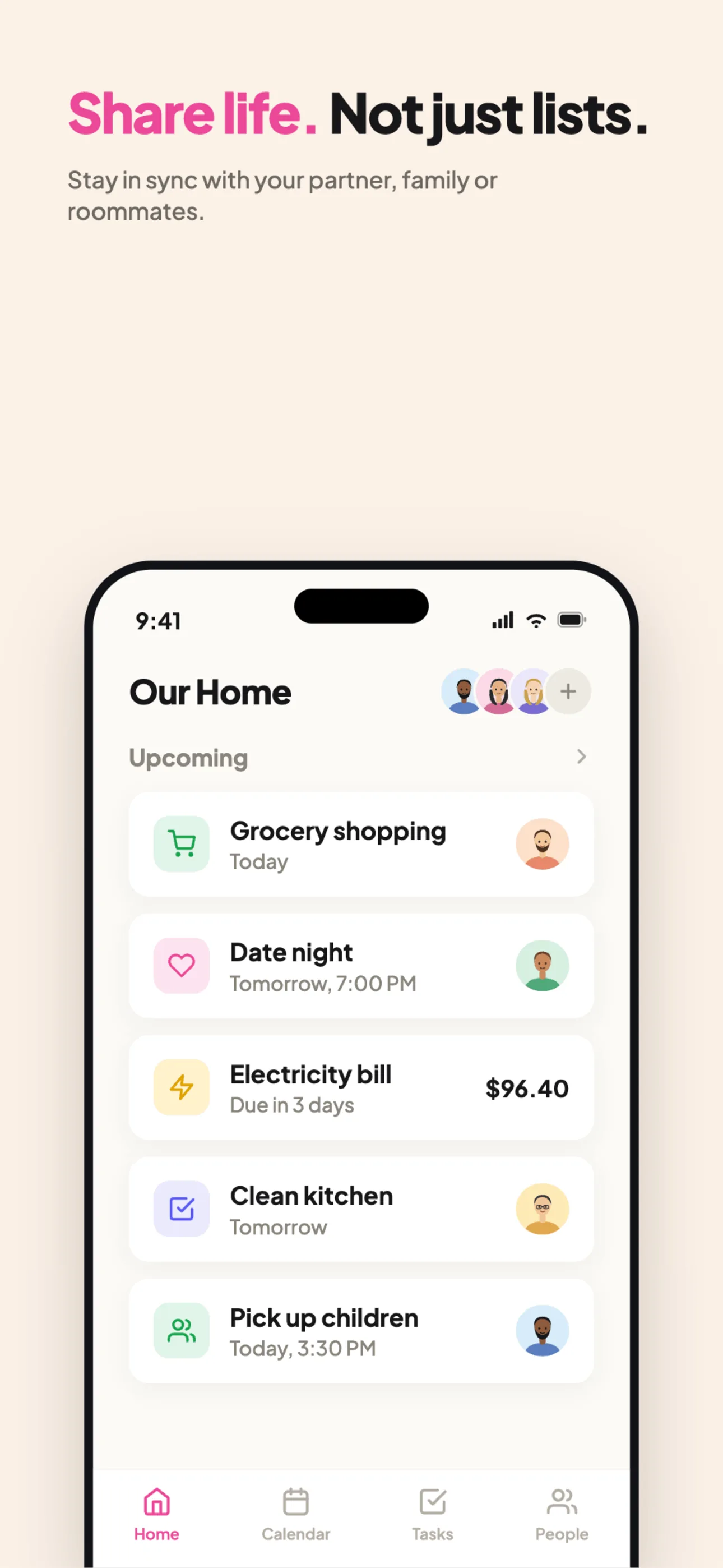
A schedule only reduces conflict if both parents can actually see it in real time. Yuki was built around exactly this kind of shared coordination: its shared groups let couples, families, and co-parents share a calendar, tasks, and expenses in one place, so both households look at the same information instead of maintaining parallel copies.
Yuki's calendar writes two-way to Google Calendar, which matters here — you can keep using the calendar app you already have on your phone while Yuki keeps it in sync. And because Yuki connects to your Gmail or Outlook, the confirmations already landing in your inbox (the pediatrician appointment, the camp registration, the school-play invite) can become calendar events without you re-typing them. That's the difference between a schedule you have to maintain by hand and one that mostly maintains itself.
The goal is that neither parent is the 'keeper of the calendar.' When the schedule lives somewhere both of you open every day, the coordination stops being one person's unpaid job.
- Shared groups put the calendar, tasks, and expenses where both parents can see them
- Two-way Google Calendar sync means you keep your existing calendar app
- Appointment and registration emails can turn into events instead of being retyped
Handle the kid logistics that travel between homes
The custody grid is the easy part. The friction is in the logistics: the cleats, the inhaler, the signed permission slip, the library book due Tuesday. These are the things that get forgotten precisely because they cross between two houses and no single person is holding the whole list.
Keep a shared, running task list in the same place as the schedule. When something has to move with the kids — 'return retainer to orthodontist,' 'pack ballet shoes for Friday' — it goes on the list, visible to whichever parent has the kids that day. A shared day-organizer means the parent doing the handoff can see what's due without a text exchange, and reminders can nudge both of you about pickups, appointments, and deadlines so the schedule does the remembering instead of you.
This is where the mental-load framing is most concrete. The exhausting part of co-parenting isn't the driving — it's the constant background tracking of what needs to happen next. Offloading that tracking to a shared system that both parents and the reminders can see is what actually lightens the load.
- Put gear, forms, and errands on a shared list tied to the day they're needed
- Use reminders for handoffs and appointment times so nothing rides on one parent's memory
- Note the location on every kid event so the on-duty parent knows where to be
Keep shared costs clear so money doesn't become the fight
Co-parenting involves a steady stream of shared expenses: activity fees, medical copays, camp deposits, new shoes, the field-trip bill. Left untracked, these turn into a running tally in someone's head and a source of resentment. The fix is the same principle as the calendar — put them somewhere both parents can see.
Yuki tracks expenses and supports bill-splitting and settle-up inside shared groups, so shared kid costs sit right next to the schedule they relate to. Log the expense when it happens, attach it to the group, and settle up on a fixed cadence — monthly, say — instead of chasing each other for receipts. Because Yuki also reads receipts and bills from your inbox, many of these costs can be captured automatically rather than remembered.
Keeping the money transparent and on a schedule removes one of the most common triggers for co-parenting conflict: the sense that one person is quietly covering more than their share.
- Log shared kid costs in the same shared group as the calendar
- Split and settle up on a fixed cadence instead of ad-hoc requests
- Receipts and bills in your inbox can be captured automatically
Step by step
- 1Agree on a custody pattern in writing (e.g. 2-2-3, week-on/week-off, or alternating weekends) and pick a single shared calendar as the source of truth so nobody keeps a private version.
- 2Enter the recurring custody blocks first — set them as repeating events with a clear color, then layer holidays, school breaks, and vacation swaps on top so exceptions are visible instead of assumed.
- 3Add every kid-specific event — practices, appointments, recitals, parent-teacher nights — with the location and any gear needed, so whoever has the kids that day knows what has to travel.
- 4Create a shared group for the two households so the calendar, a running task list, and shared expenses live in one place both parents can open.
- 5Set a standing rule for changes: any swap or cancellation gets made on the shared calendar (not in a text), so the calendar is always the thing you both trust.
- 6Track shared kid costs — camp, medical copays, activity fees — in the same shared space and settle up on a fixed cadence instead of chasing each other for receipts.
- 7Turn on reminders for handoffs and payment deadlines so the schedule reminds both of you automatically rather than one parent playing air-traffic control.