
Yuki Guide
Home Screen
Everything happening today and what’s coming up, in one glance.
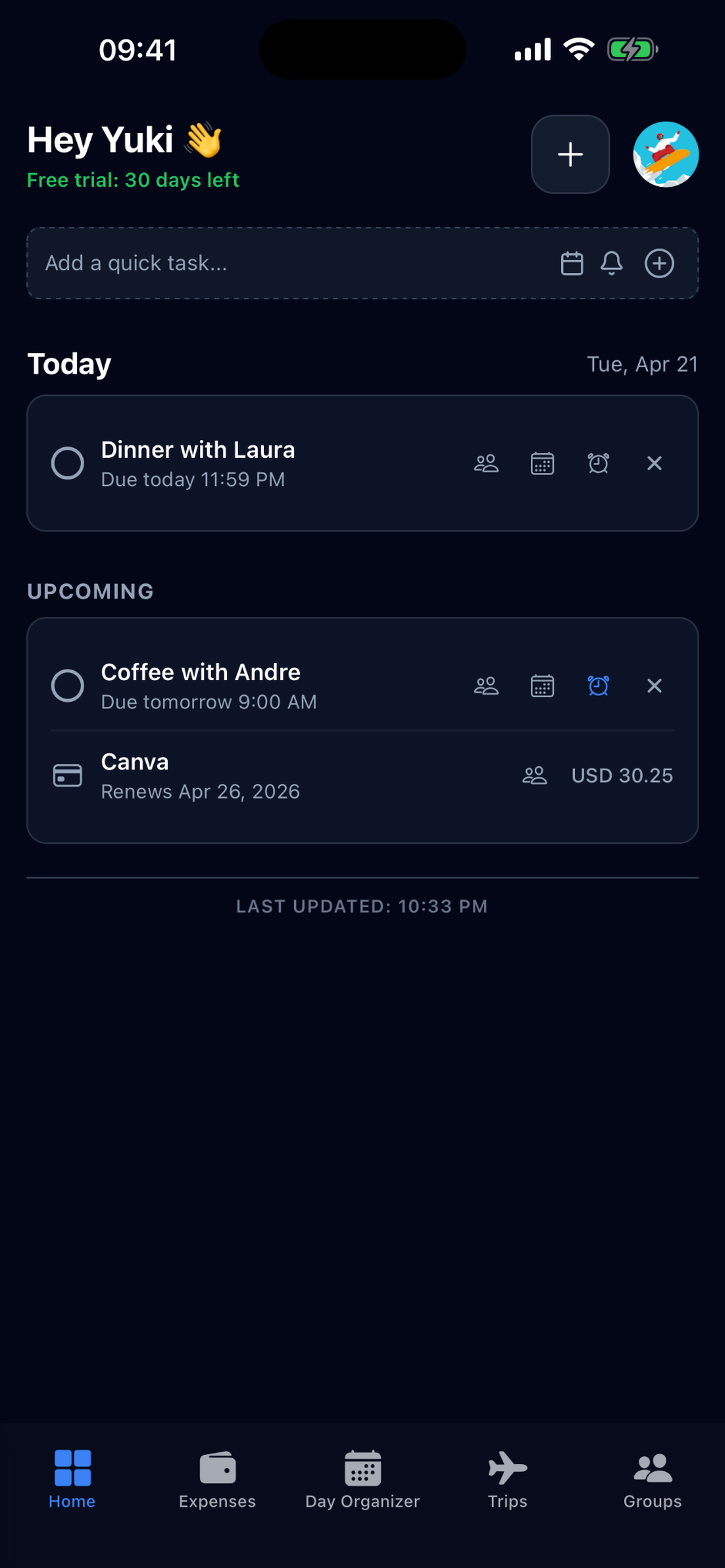
The Home screen is Yuki’s command center. It pulls your bills, tasks, trips, reminders and events into a single consolidated view so you never have to jump between apps to know what your day looks like.
What you’ll see
- Today, tasks due, events, reminders and any bills or subscriptions charging today.
- Upcoming, a rolling look ahead at the next bills, trips and important dates so nothing sneaks up on you.
- Yuki’s greeting, a quick, friendly summary of what matters right now.
Adding things quickly
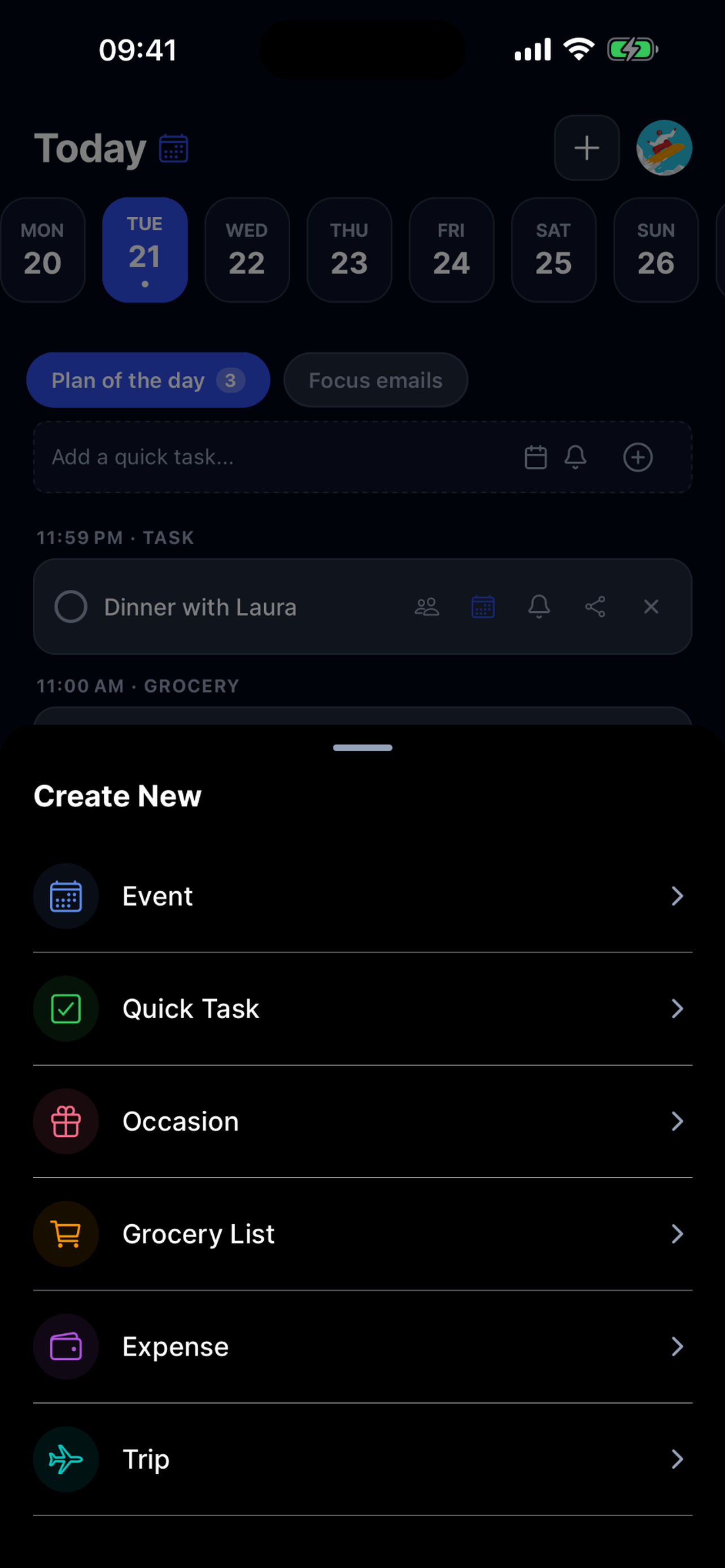
Tap the + button to open the Create sheet. From here you can add a Task, Event, Occasion, Grocery list, Expense or Trip, all from one place.
Tip. Use Yuki AI in the quick‑add bar, type something like “dinner with Sam Friday 7pm” or “electricity bill €60 on the 28th” and Yuki turns it into the right kind of item automatically.