
Trips
Plan, organise and travel — bookings, documents, tasks and shared costs.
By YukiPublished Updated
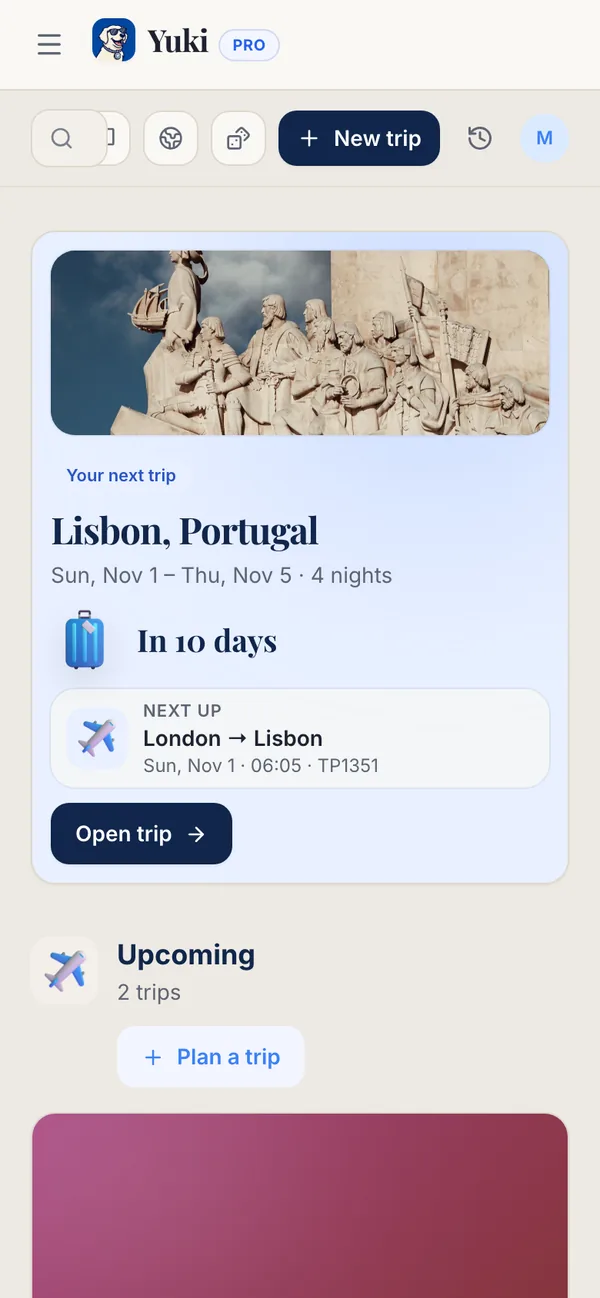
Yuki Trips turns scattered travel plans into one organised trip: bookings, documents, tasks and shared costs together, on one itinerary. Trips is a tab on your phone and in the web sidebar, with your next trip and its countdown at the top, then what’s upcoming and where you’ve been. Start a new one with Plan a trip.
How do I create a trip?
Tap Plan a trip (Plan a new trip or New trip at the top of Trips on the web) and add bookings of every kind — flights, hotels, trains, buses and car rentals — plus activities. Each lands on the trip’s itinerary with its times, places and confirmation details.
What is inside a trip?
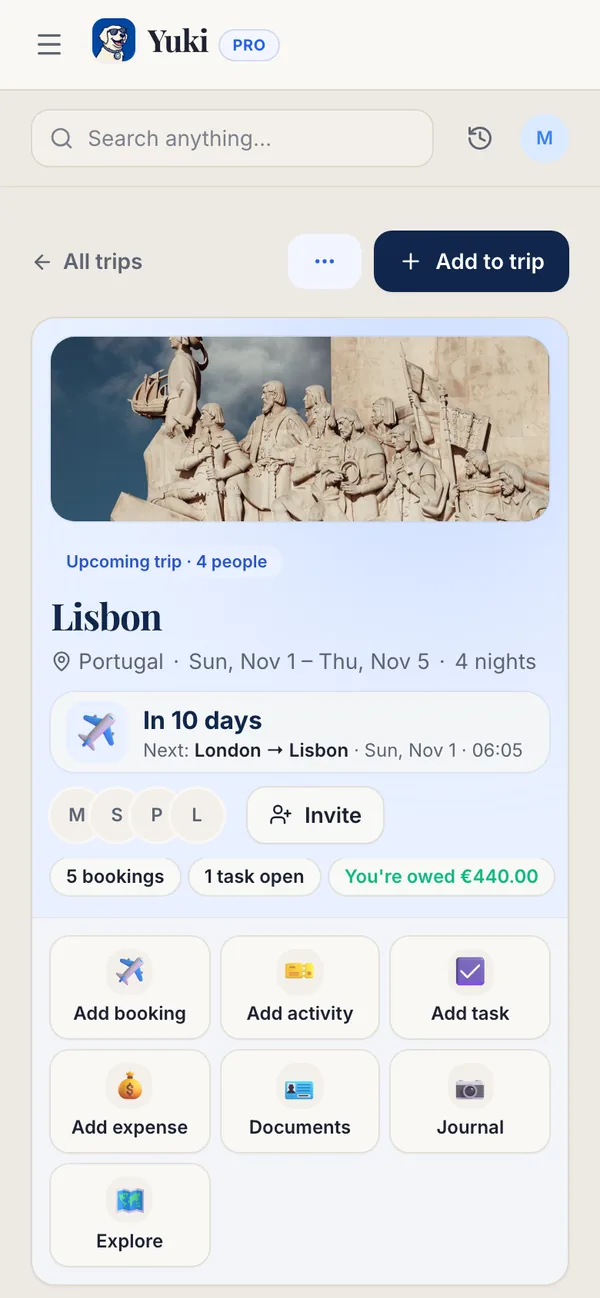
A trip opens on a summary — the countdown, who’s going, what’s next — with quick buttons to Add booking, Add activity, Add task, Add expense, Documents, Journal and Explore on the web. Below that are the tabs (on your phone, People and Invite are at the top of the trip instead of a tab):
- Itinerary — the day‑by‑day timeline of bookings and activities, in each booking’s local time.
- Tasks — a to‑do list for this trip, before you leave and while you’re there.
- Expenses — trip spending, split between travellers.
- People — who’s on the trip; invite travel companions with a link so everyone shares the same plan.
- Journal — notes and photos from each day, kept with the trip.
Documents holds boarding passes, tickets and vouchers for the trip — private until you share them with the trip — so they’re with you on the road. Show code puts a ticket’s code on screen for the scanner.
Destination essentials
Tap Explore on a trip on the web, or the compass on the trip on your phone, to check the essentials before you go: currency, power plugs, the emergency number, tap water, language and the best time to visit. Set your passport for personalised rules.
The Weather tile shows the weather in your trip’s city: the conditions now when the reading is recent, otherwise today’s forecast. Tap 7-day forecast for the week ahead with the chance of rain and when the forecast was last updated. If Yuki can’t find the city, the tile is left out.
From four days before a trip until it ends, the trip shows Weather for your stay: what the forecast means for the days you are there, such as rain on some of them (pack a waterproof) or heat (pack light cotton). If the trip has no end date, it covers the day you arrive and the next. These notes come from the weather forecast and are not official warnings, so for anything serious check local news and official advice.
Temperatures and wind are shown in your units. Change them in Settings → Account → Preferences → Units.
The Health tile gives one line for the country you’re visiting. Tap View more for the full record: whether you need a yellow fever certificate to enter, whether malaria prevention medicine is recommended, and the vaccines the US CDC recommends for most or some travellers. It is reference information from CDC Travelers’ Health with a link to CDC’s page, not medical advice — check with a doctor or travel clinic before you go.
Ideas for the next trip
Can’t decide where to go? Spin the WanderWheel on Trips for a destination. Your passport and Visited countries are one tap from the top of Trips on the web.
Can Yuki build a trip from my email?
Yes, on Pro. With Gmail connected, Yuki finds flight, hotel and train confirmations in your inbox and builds the trip for you — no forwarding, no copy‑paste.
Can I share a trip with the people going?
Yes. Invite travel companions to the trip with a link, so everyone shares the same plan. Documents stay private until you share them with the trip. On Free a trip has up to 2 travellers; Pro has no limit.
| Capability | Free | Pro |
|---|---|---|
| Create trips & add bookings (manual) | Included | Included |
| Travellers per trip | Up to 2 | No limit |
| Document uploads | 1 / month | No monthly limit |
| Auto-scan booking confirmations from Gmail | — | Included |
| Purchase flights/hotels or automatic check-in | Agent only | Agent only |
Will Yuki tell me if my flight changes?
Yes, on Pro with Gmail connected. When an airline or operator moves, delays or cancels a booking Yuki found in your email, you get a Travel changes push. During quiet hours a moved booking waits until morning unless it leaves within a day, while a disruption gets through straight away. Switch these off with Travel changes in Profile → Notifications. The change shows on the trip either way.
How does Yuki fill in my world map?
The map on Trips lights up the countries of your trips, and your traveller level grows with them: Tourist up to 5 countries, Wanderer 6 to 10, Explorer 11 to 25, Globetrotter 26 to 50, and Global Citizen above 50.
Sources
Official documentation, standards and research behind the facts on this page.
- Travelers’ Health (U.S. Centers for Disease Control and Prevention) (opens in a new tab) — The source of the Health tile: vaccines and medicines recommended by destination.
- Yellow fever (World Health Organization) (opens in a new tab) — Background on yellow fever and the vaccination certificate some countries require on entry.
- Weather Forecast API (Open-Meteo) (opens in a new tab) — The forecast data behind the Weather tile, the 7-day forecast and the chance of rain.