
Almost everyone who wants to "get organized" reaches for a new app, a color-coded planner, or a fresh productivity method. And almost everyone abandons it within a few weeks. The problem is rarely discipline — it's that most systems only work if you feed them constantly. You have to remember to log the expense, copy the flight details into your calendar, write down the birthday, and re-sort everything each week. That maintenance tax is exactly what a busy life doesn't have room for. The best way to organize your life isn't a better habit; it's a system that stays organized on its own, so the information that runs your days shows up where you need it without you doing the filing.
Why most organization systems collapse
The failure point of nearly every planner, app, or method is the same: they front-load the promise and back-load the work. Setting up a beautiful task board feels productive, but staying organized requires you to manually enter every appointment, receipt, subscription renewal, and to-do — forever. That daily data-entry burden is a form of mental load in itself. You're now spending willpower to maintain the thing that was supposed to save you willpower.
Two hidden costs compound the problem. First, duplication: the same trip lives in your email, your calendar, a notes app, and your head, and none of them agree. Second, decay: the moment you skip a few days of upkeep, the system becomes untrustworthy, and an untrustworthy system is one you stop checking — which is when things actually fall through the cracks.
- Manual entry is a tax you pay every single day, not a one-time setup cost.
- Information duplicated across apps drifts out of sync and stops being trustworthy.
- A system you can't trust is a system you abandon — usually right before something important slips.
The low-maintenance principles that actually last
A durable system is built on a few structural rules rather than on motivation. The goal is to remove yourself from the loop wherever a machine can do the remembering instead. When the system captures and files on its own, staying organized stops being a chore you can fall behind on.
Think of it less as a productivity method and more as plumbing: set up the pipes once so that anything important flows to the right place automatically. Your job shifts from data entry to occasional review and the decisions only you can make.
- Automate capture: the best time to log something is the moment it happens — ideally without you touching it.
- One source of truth per category: one calendar, one place for money, one place for trips. No parallel copies to reconcile.
- Reduce, don't add: a good system removes steps from your day rather than introducing new ones to maintain.
- Make it push, not pull: information should surface to you at the right moment instead of waiting for you to go dig it out.
- Design for the day you skip it: it should still be accurate after a week of neglect.
Start from where the information already lives: your inbox
Here's the insight that makes upkeep-free organization possible: you're not actually missing the information — it's already arriving. Flight confirmations, hotel bookings, order receipts, bill notices, subscription renewals, event invites, and appointment reminders all land in your email automatically. The failure is purely one of routing. That data sits buried in a scrolling inbox instead of being turned into a calendar event, an expense, or a reminder.
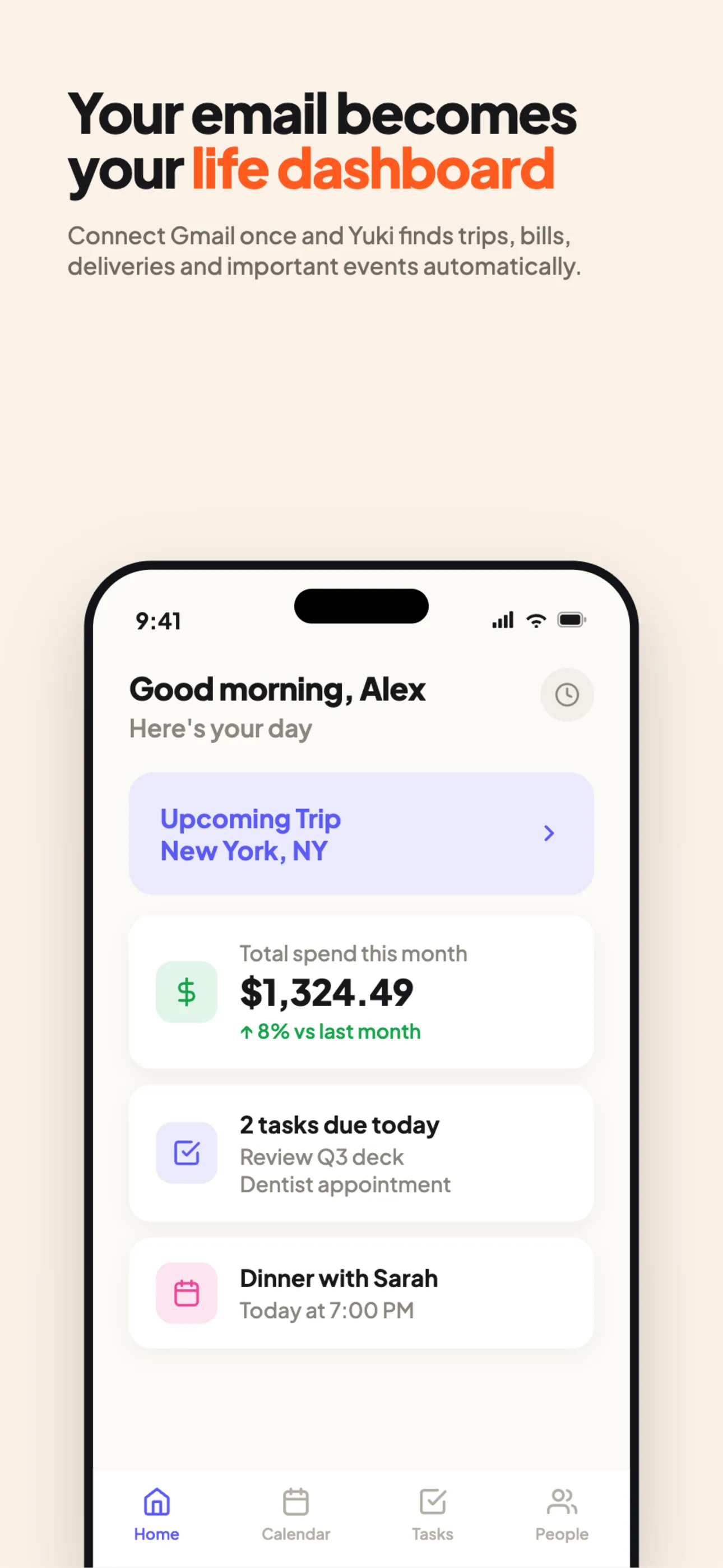
This is precisely the gap Yuki is built to close. It connects to Gmail or Outlook and reads the confirmations and receipts you already receive, then turns them into a live calendar, trip itineraries, tracked expenses and subscriptions, package tracking, and reminders — without you copying anything over. Because the capture is automatic, there's no daily upkeep to fall behind on. Yuki writes two-way to Google Calendar (and Apple Calendar on iOS), so your single source of truth for time stays current on its own.
The mental-load win is the point: you stop being the human middleware between your inbox and your calendar. The remembering, sorting, and filing happen in the background, and you get back the attention you were spending on logistics.
Organize the four things that matter, then stop
You don't need to organize everything — you need to organize the handful of categories that cause real stress when they slip: time, money, logistics, and coordination. Cover those four well and the rest tends to take care of itself.
For time, keep one calendar that everything writes into. For money, let bills, subscriptions, and expenses track themselves from receipts so you notice a price hike or a forgotten free trial before it charges you. For logistics, let trips and deliveries assemble into itineraries automatically. And for coordination, share the relevant pieces with the people they affect instead of being the sole person holding the plan in your head.
- Time: one live calendar that everything feeds into — no second copy to maintain.
- Money: expenses, bills, and subscriptions tracked from receipts so nothing renews unnoticed.
- Logistics: trips and packages that assemble themselves into itineraries and tracking.
- Coordination: shared groups so partners, family, co-parents, or roommates see the same plan — including splitting bills and settling up.
Keep it running with a five-minute weekly glance
Even a self-maintaining system benefits from a light touch — but the emphasis is on light. Once capture is automated, your only recurring job is a brief review: glance at the week ahead, confirm anything ambiguous, and make the human judgment calls the system can't make for you (which invite to accept, which subscription to cancel).
This is the difference between maintenance and review. Maintenance is data entry you can fall behind on; review is a quick scan that stays accurate even if you skip a week. If you ever want to move faster, you can just ask — Yuki AI lets you handle things in plain language ("what's on my plate this week?", "did I get charged for that renewal?") instead of navigating menus, and daily briefings surface what's coming so nothing needs to be hunted down.
Step by step
- 1Connect your email (Gmail or Outlook) so the confirmations, receipts, and invites already in your inbox become the raw material — this is the one-time setup that replaces daily data entry.
- 2Pick one calendar as your single source of truth for time and let events write into it automatically (two-way with Google Calendar, plus Apple Calendar on iOS).
- 3Let money track itself: allow expenses, bills, and subscriptions to be pulled from receipts so renewals and price changes surface before they charge you.
- 4Let logistics assemble automatically — trip itineraries and package tracking build from booking and shipping emails without manual copying.
- 5Share the relevant pieces with the people they affect using shared groups for couples, families, co-parents, or roommates, including bill-splitting and settle-up.
- 6Replace maintenance with a five-minute weekly review: scan the week, confirm anything ambiguous, and make the human decisions the system leaves to you.
- 7When you need something fast, ask Yuki AI in plain language instead of digging through apps.